Session
A session per client, project and location
Every photo lands in the right place from the start. A timer, the Dynamic Island and reminders keep track of how long you have been inside.
No more: recce photos lost between your own pictures, and nobody knowing later which photo belongs to which location.
Scan
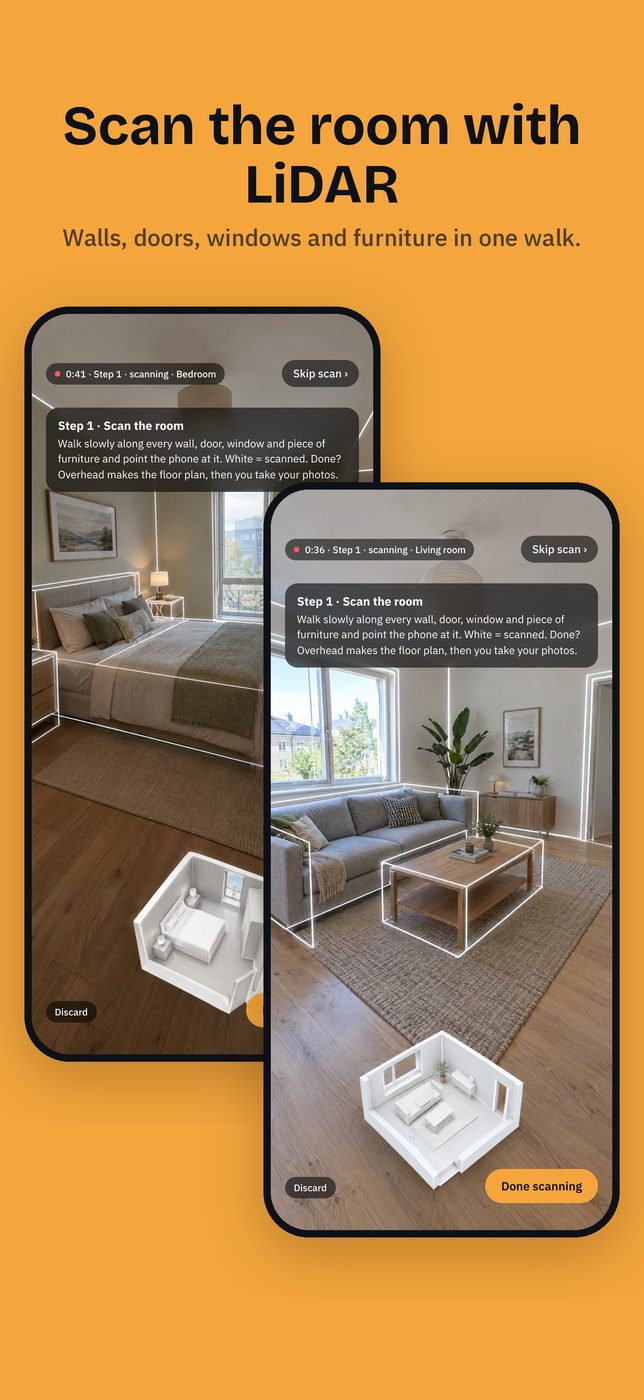
A floor plan from a LiDAR scan
Walk the room and get a clean plan: corners closed, doors and windows in their wall, tables straight, chairs tucked in.
Needs an iPhone Pro or iPad Pro with LiDAR. A plan for planning shots, not a measured drawing.
No more: half an hour with a tape measure and a sketch that is never quite right, or a messy raw scan you still have to redraw.
Viewfinder
A viewfinder that thinks like a cinema camera
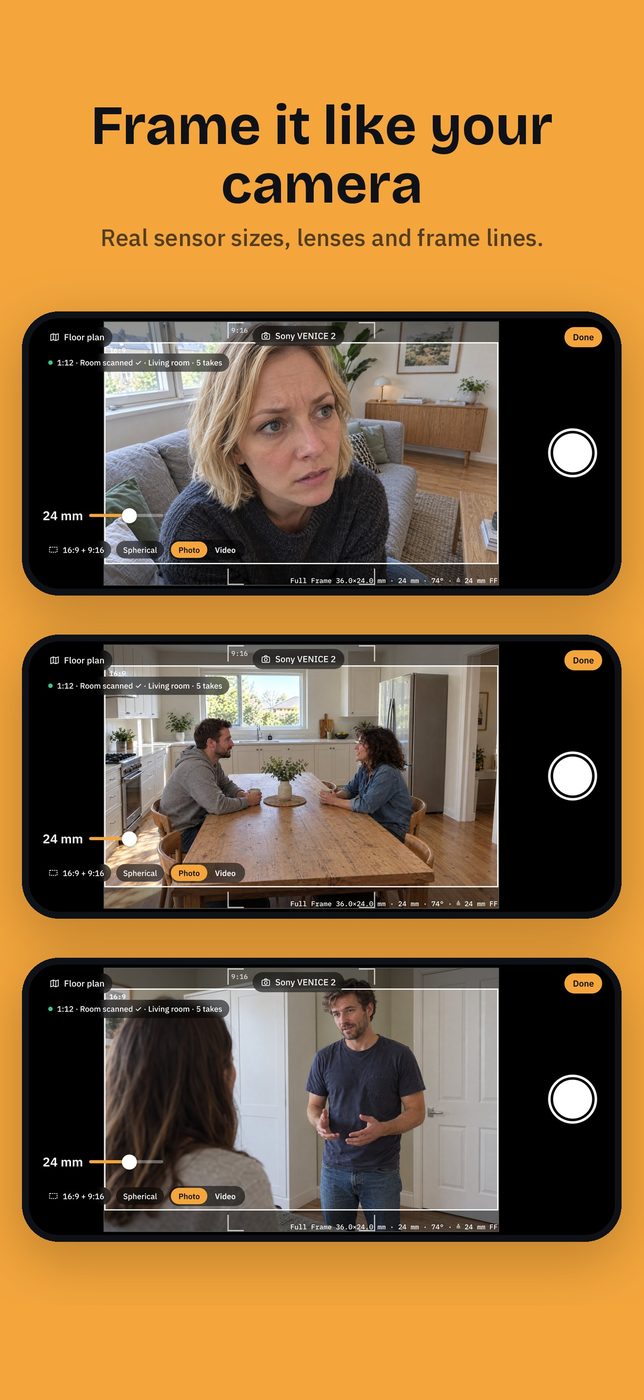
Real sensor sizes from ARRI, Sony, RED, Canon, Blackmagic and more, and lenses in millimetres. Anamorphic squeeze and very wide lenses too. The phone picks 0.5×, 1× or tele itself; you only see your cinema millimetres.
An approximation through the phone's lenses. With very wide lenses the edge is filled in.
No more: guessing whether a shot works on 24 mm while your phone shows something else.
Viewfinder
Cinema and social in one frame
Frame lines for 16:9, 9:16, 2.39, 1.85 and more, shown as a box or as corners, at the same time.
No more: framing for the cinema and for vertical without seeing both.
Clips
Video with camera movement
Record push-ins, dolly moves, pans, tilts and steadicam walks. The move ends up on the floor plan. Pick stills from a clip on a timeline, and export clips with or without frame lines and with sound.
No more: long explanations of a move to the director or grip, or screenshots pulled from videos for the deck.
Photos
Every photo knows where it was taken
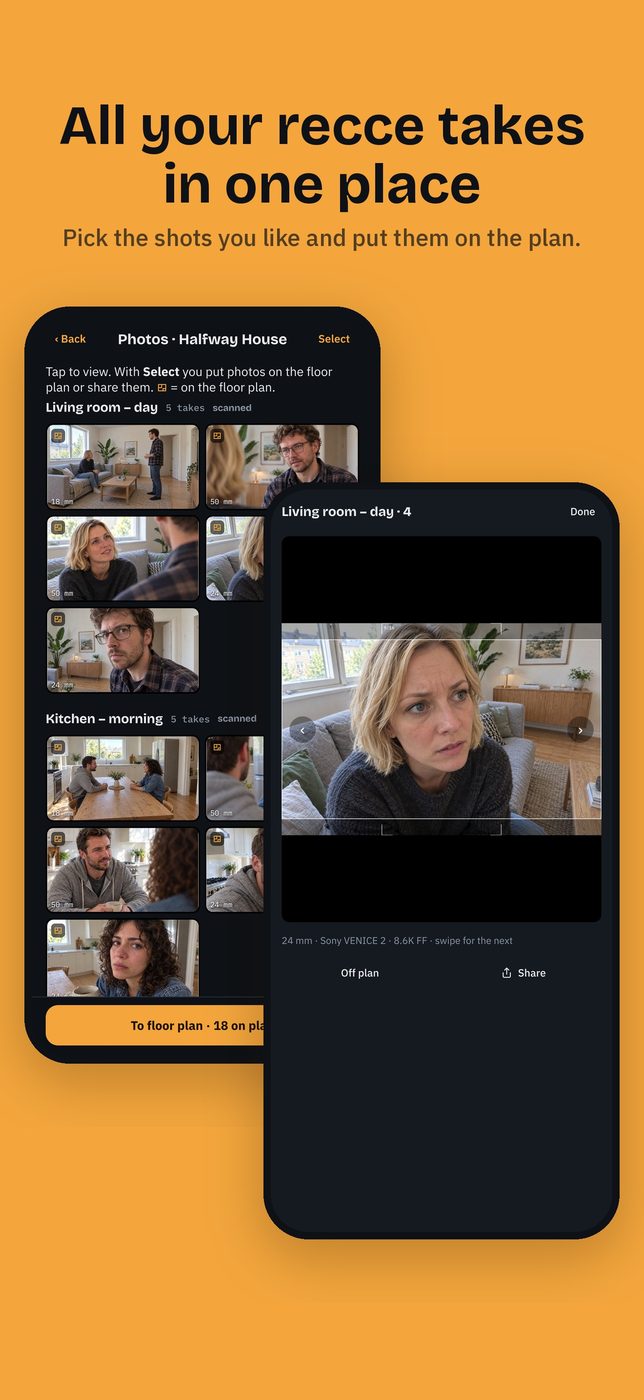
Photos are sorted per location. Select the good ones, put them on the plan or take them off, and share them.
During a LiDAR scan the position comes from the scan. With the 0.5× and tele lenses it is estimated.
No more: hundreds of loose recce photos where the good shots get lost.
Floor plan
Shots become cameras on the plan
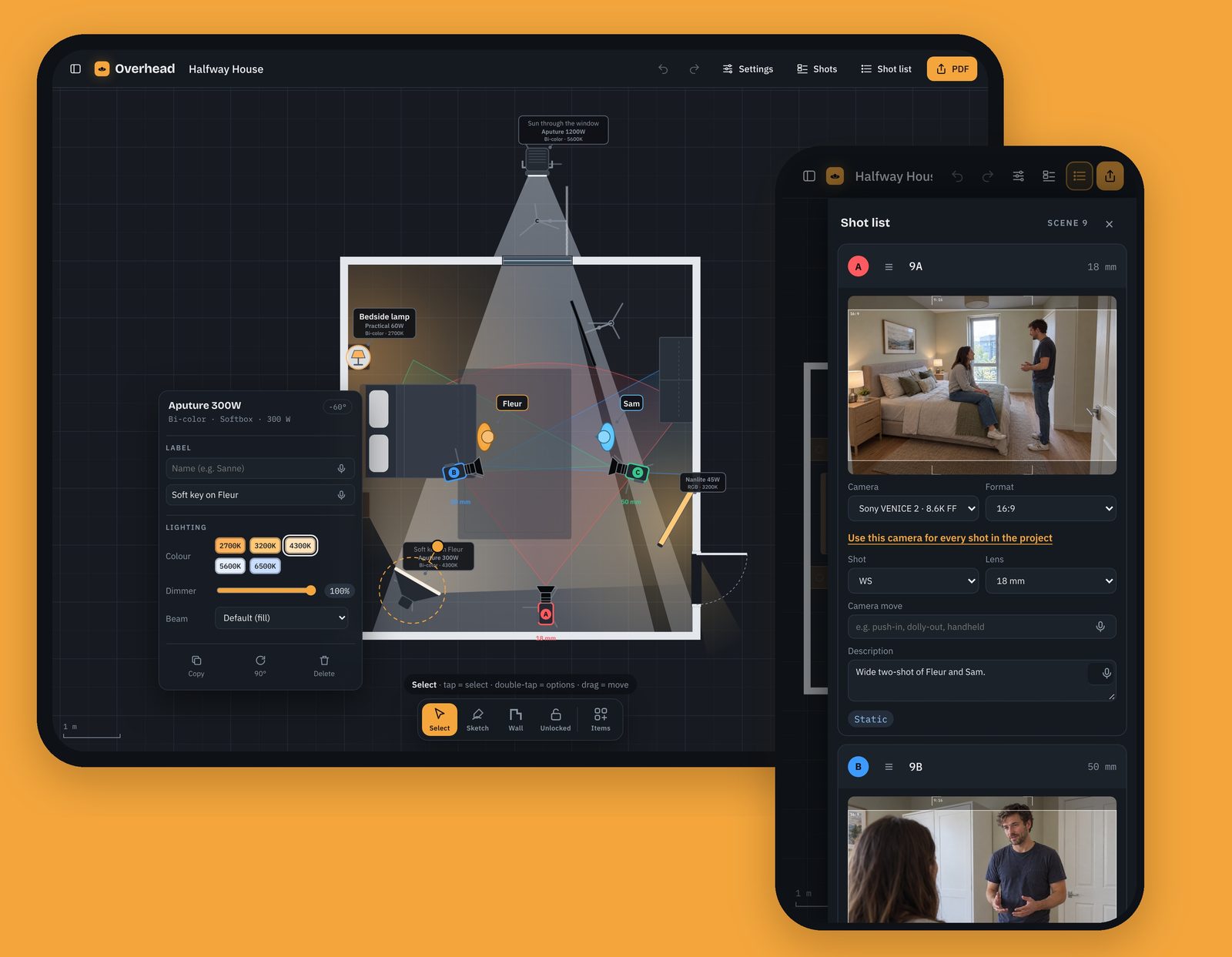
Each chosen shot is a camera with lens, cone and shot size. Drag the shot list into order, with shot numbers like 12A and 12B and several scene numbers per location. Set camera and format per shot, or for the whole project in one tap.
No more: a shot list and a floor plan in separate files that drift apart.
Floor plan
Draw with your finger or Apple Pencil
Sketch walls, people, cameras and lamps and Overhead recognises them. A library has furniture, kitchen and bathroom, building parts, cast and grip. Pin notes to a spot with a dot and a line, or dictate them.
No more: slow desktop drawing that can't be done on location, or notes that float loose from the spot they are about.
Light
Your own light kit
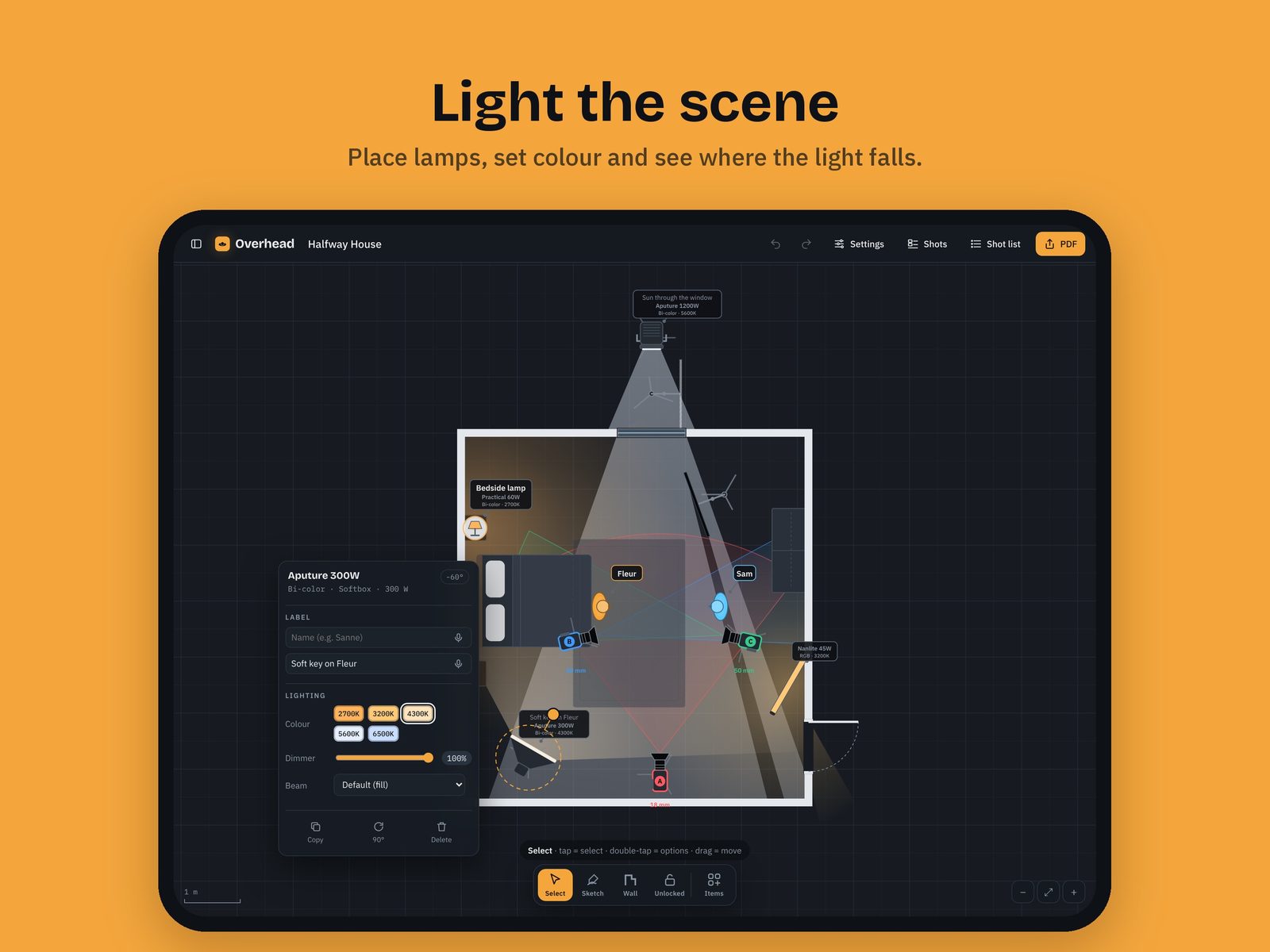
Add your lamps with brand, wattage, daylight, bi-color or RGB and the shape of the head. Place them with colour temperature, dimmer and beam: Fresnel, softbox or spotlight. Light rays and shadows are visible. Practicals, lanterns, tubes and grip like flags, frames, bounce and negative fill are there too.
A visual lighting plan, not a photometric calculation.
No more: generic icons that don't match your lamps, and explaining a lighting plan without seeing where the light falls.
Share
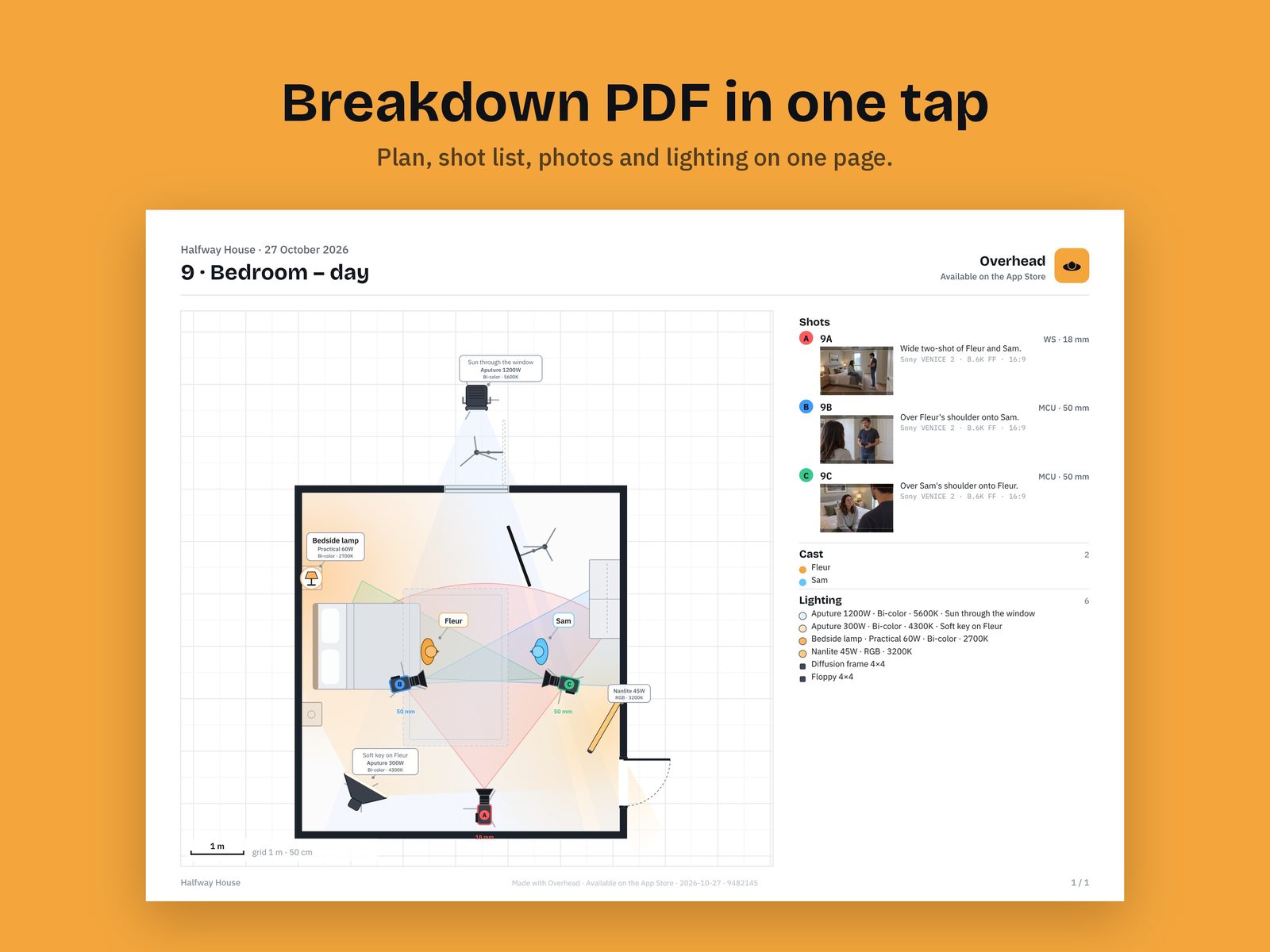
A breakdown PDF in one tap
A sharp vector PDF: one page per scene with the floor plan, the shot list with photos, cast and lighting. Or one page per shot. Share just the shots too: photos and videos with frame lines, named by shot number.
No more: evenings building breakdowns in a slide deck, and renaming and cropping stills by hand.
iPhone to iPad
Shoot on the phone, finish on the iPad
Send a floor plan from iPhone to iPad with AirDrop, or as a file through Mail and Files.
No more: doing detailed work on a small screen because that is where the recce lives.
Organise
Clients, folders and projects
Arranged like your home screen, with recce photos as icons. Recent shows the floor plans you opened last. No account, everything stays on your device. In English and Dutch.
No more: searching for a project between dozens of jobs, or logging in on set.
 Overhead