 Cardpont
Copying and hoping
A Finder copy tells you it finished. It does not tell you that every file on the drive is identical to the card.
Offload software for film sets · macOS 14 or later
Cardpont recognises your camera or sound card and your SSDs, builds your folder structure and copies to every drive at once. Then it reads every copy back and checks it. Only then is the card safe to format.
Launching 1 December 2026 · founders price €79 for the waitlist · download and checkout on cardpont.com

The problem
Everything you shot today lives on one card until it is copied. Most mistakes happen at the end of a long day, when nobody is checking.
A Finder copy tells you it finished. It does not tell you that every file on the drive is identical to the card.
DAY_03 on one drive, Day3 on the other. Post has to untangle it, and a roll ends up in the wrong place.
A card that only reached one SSD looks the same as a card that is on two. You find out when that drive fails.
The edit asks what was copied, when and to which drive. "I think so" is not an answer.
How it works
Set up your folder structure once. After that, a shoot day is nothing more than swapping cards.
Type the name when you open the app. It becomes the top folder on every SSD, and Cardpont keeps count of your shoot days.
A camera or sound card and two, three or four SSDs. Cardpont knows which is the card and which are the backups, and gets the folders ready.
The card is read once and written to every SSD at the same time. Then every copy is verified. A green check means the card can come out.
Features
Cardpont takes care of everything you would otherwise have to remember on set.
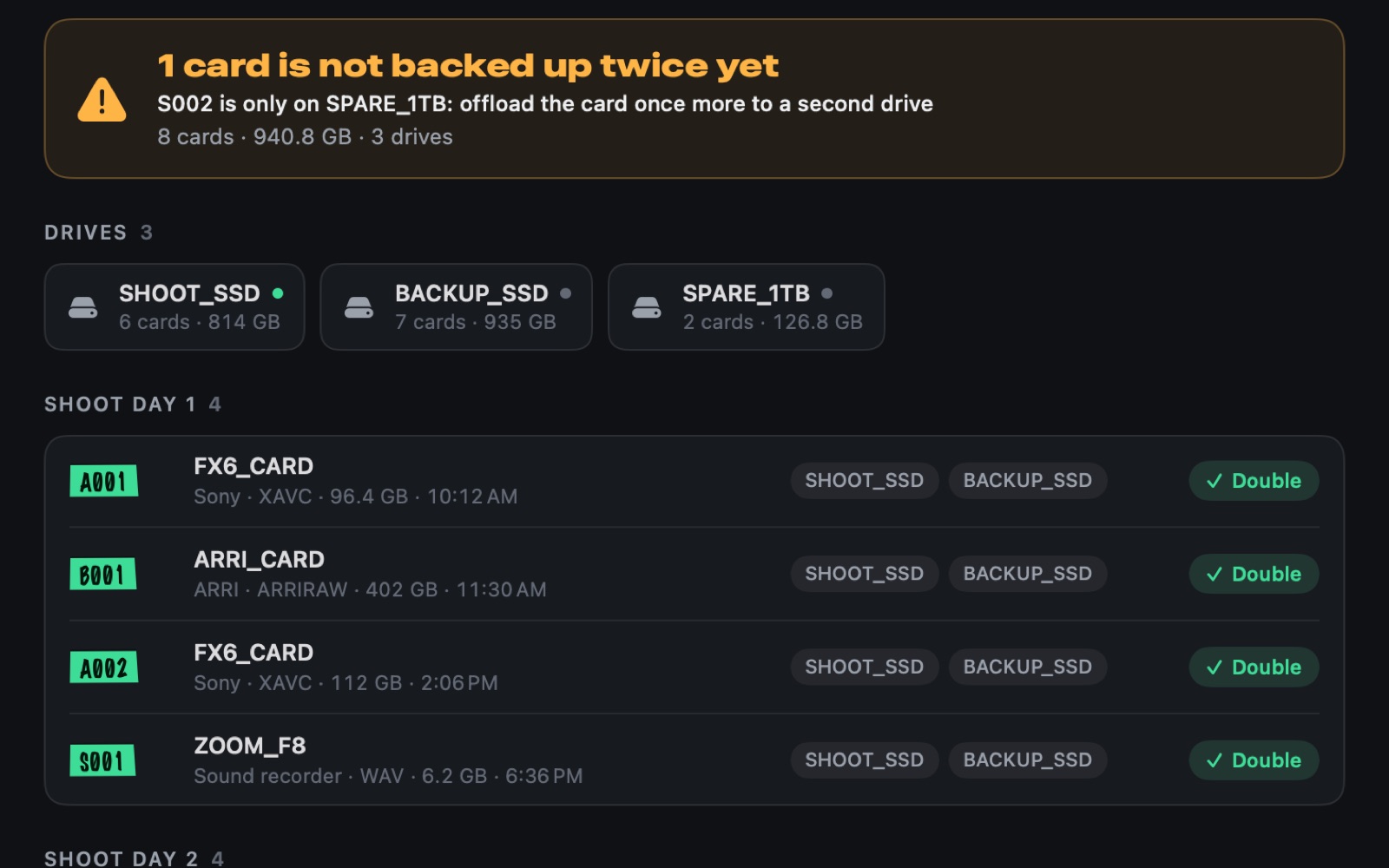
Cardpont keeps a catalogue per project: every card, per shoot day, and the drives it is safely on. Grabbed a spare drive in a hurry because an SSD was full? That copy counts too. A card that is only on one drive is flagged, with what to do about it.
Drives are recognised by their unique ID, not their name, so two drives called "Untitled" are never mistaken for one.
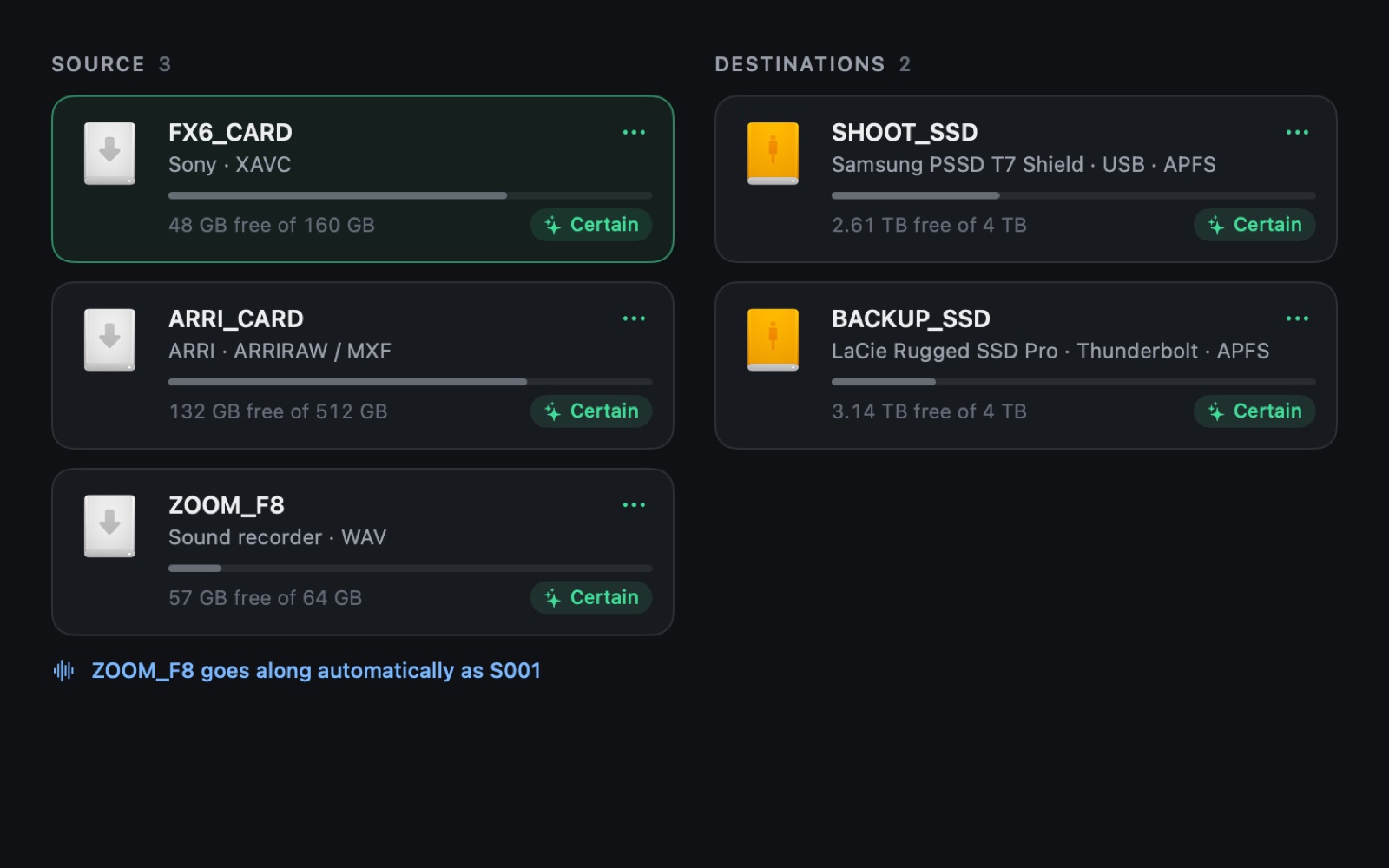
From the folders cameras write, the card reader and the model of your SSD. If it ever gets one wrong, correct it once and Cardpont remembers it for that drive.
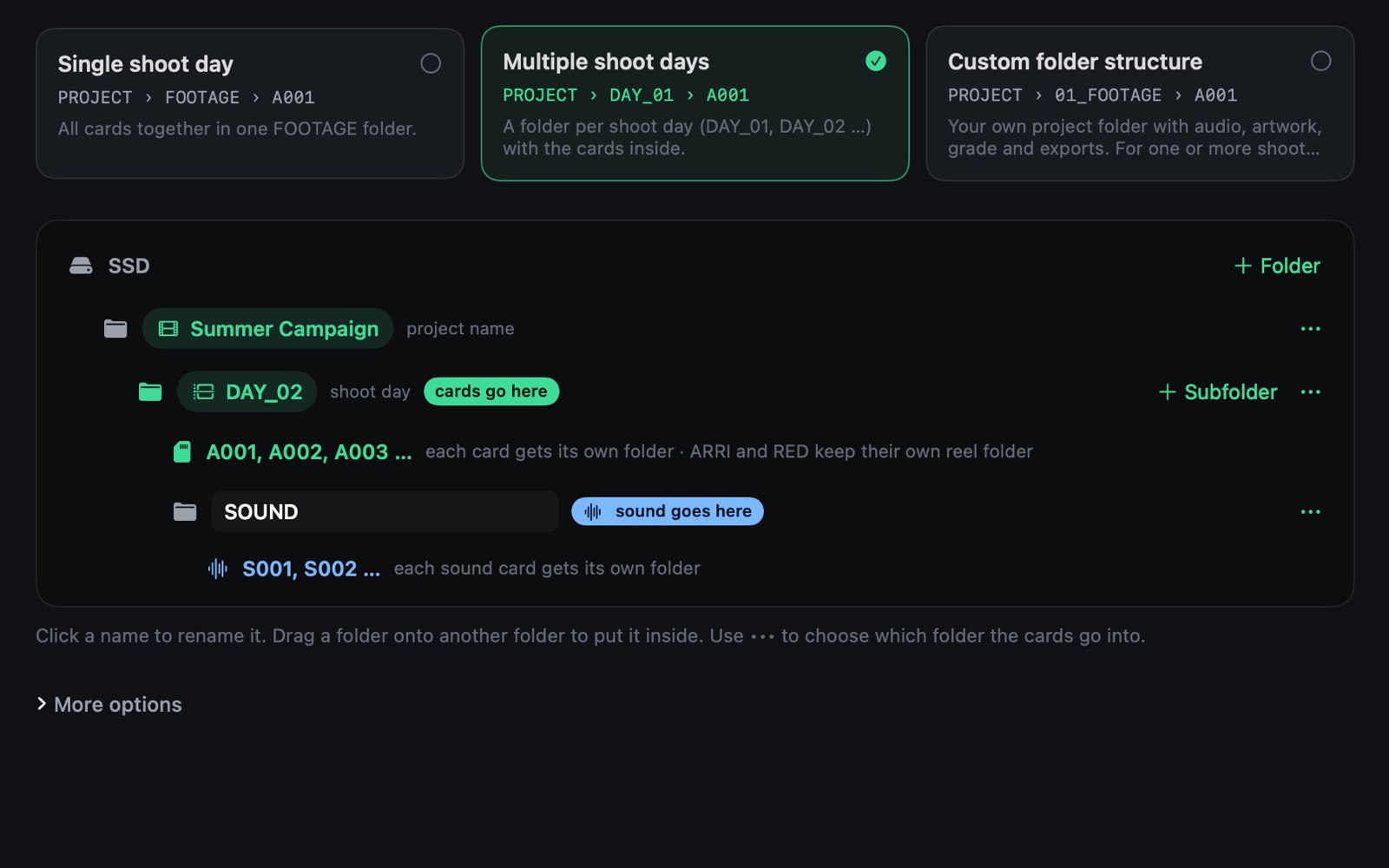
Drag your structure together or pick a template: one shoot day, multiple shoot days, or your own complete project folder. It lands identically on every SSD.
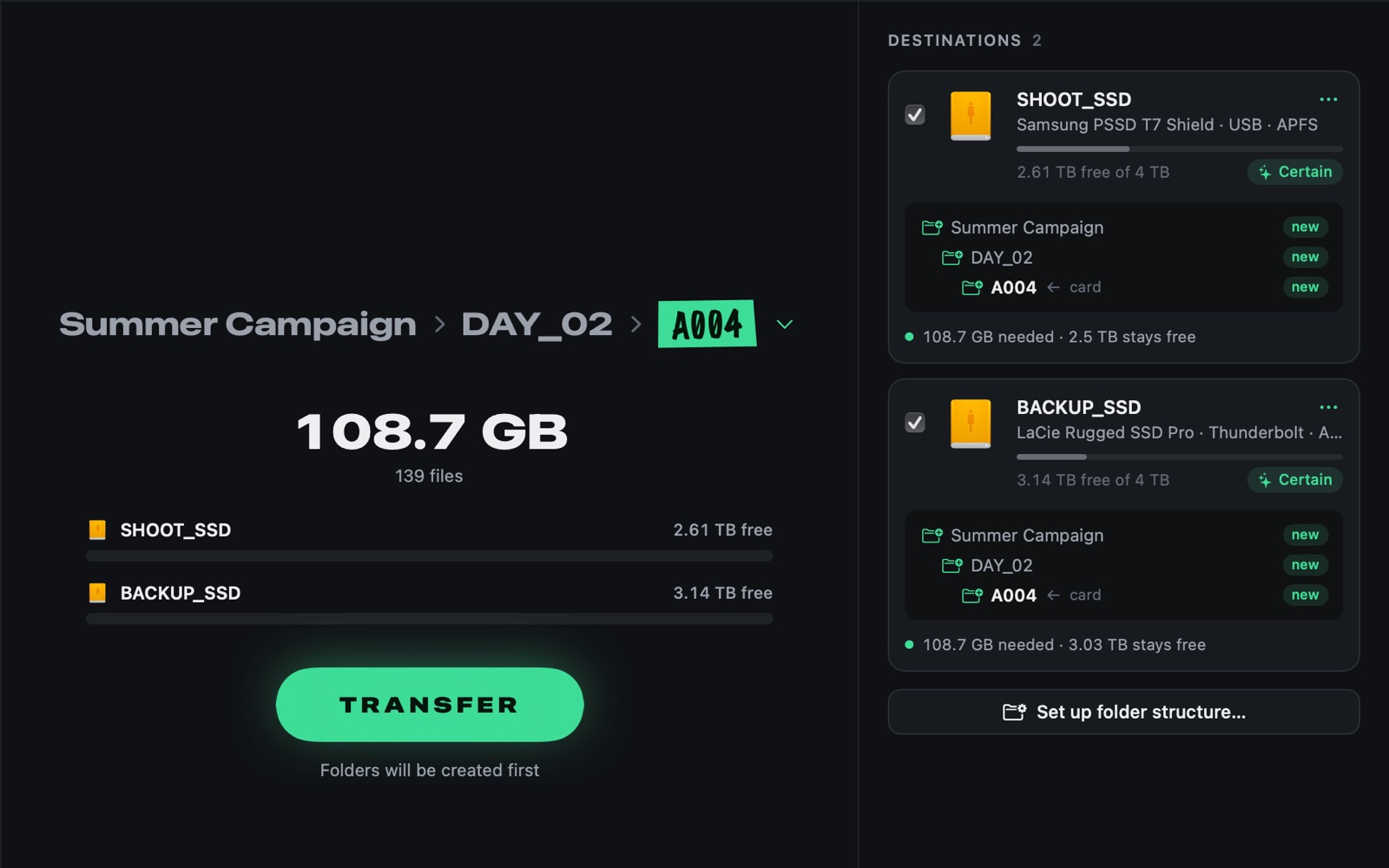
A001, A002, A003, across shoot days too. Sound cards get S001, S002. ARRI and RED cards keep their own reel name.
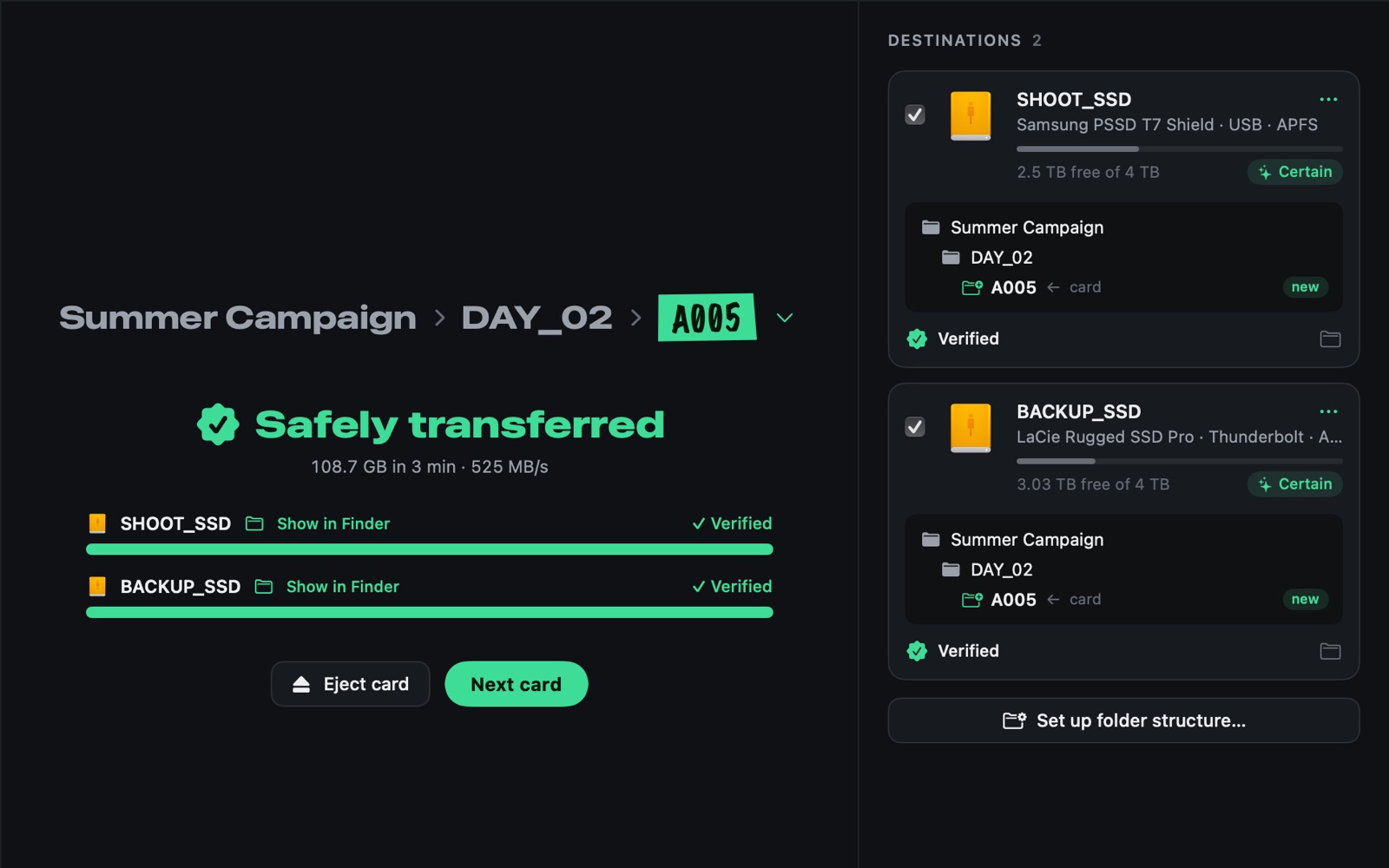
xxHash64 checksums, read back from the SSD itself with the cache bypassed. An ASC MHL file per roll for post, and a readable report with a thumbnail of every clip.
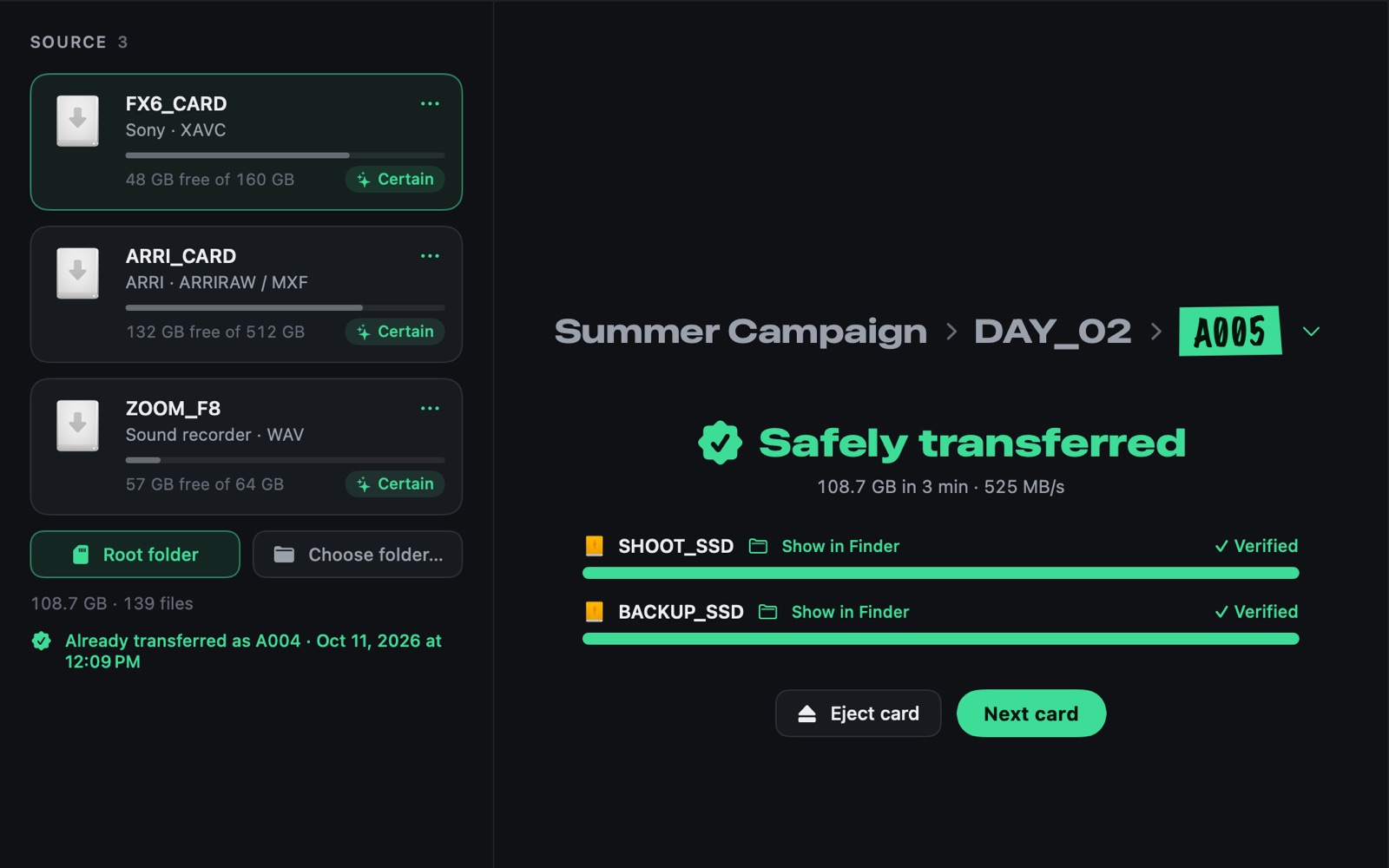
Insert a card that has already been offloaded and you see it right away, with roll and time. No double work, and no doubt about whether it is safe.
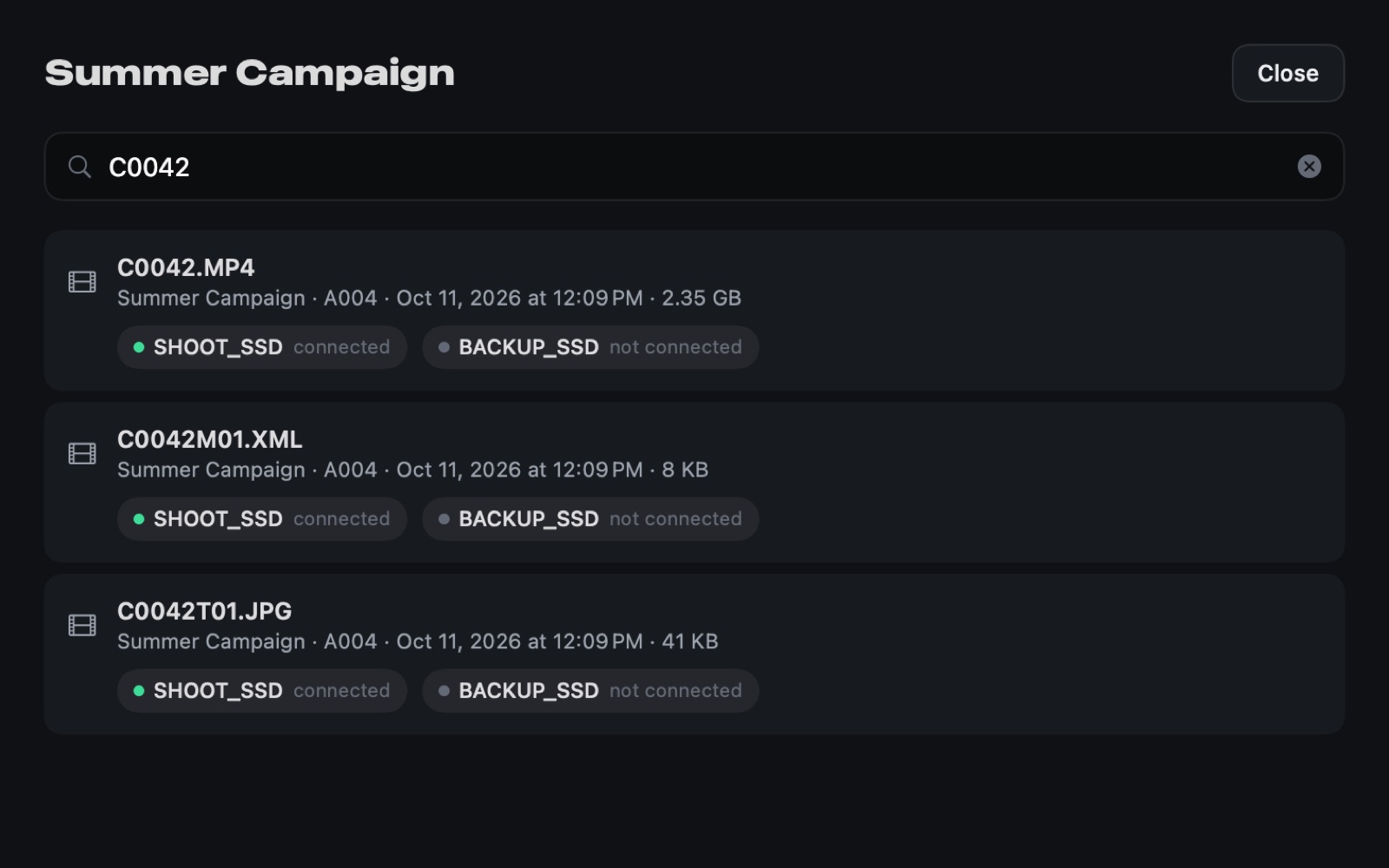
Search C0042 and see which SSD it is on, even when that drive is in a cupboard at home.
Want to see it move? Watch the 90-second tour on cardpont.com.
Who it's for
Verified offloads to every drive at once, an ASC MHL file per roll for post, and a catalogue of every card per shoot day.
The offload runs while you prep the next card. A green check means the card is safe to format.
No DIT on set? Card in, SSDs in, TRANSFER. The folder structure is the same every day, without thinking about it.
Sound cards are recognised too. They get their own rolls, S001 and up, next to the camera cards of the same day.
Pricing
No subscription, no Pro tier. Pay once, all 1.x updates included. Try it on your own shoots for 14 days first.
Cardpont · licence for 2 Macs
Launch prices
| Founders pricefor the waitlist, all of December 2026 | €79 |
|---|---|
| Launch priceDecember 2026 | €99 |
| Regular pricefrom January 2027 | €129 |
Cardpont launches on 1 December 2026. Downloads, the free trial and the checkout all live on cardpont.com.
After the 14-day trial, search, reports, history and the demo keep working. Only new transfers need a licence, and a transfer that has already started always finishes.
FAQ
Cardpont is offload software for the Mac, made for film sets. It recognises your camera or sound card and your SSDs, builds your folder structure on every drive, copies to all of them at once and verifies every copy with checksums. Each roll gets an ASC MHL file and a readable report.
Cardpont reads the card once and calculates a checksum for every file while copying. Afterwards it reads every copy back from the SSD itself, not from memory, and compares the checksums. Only when everything matches on every SSD do you get the green check.
A list with the checksum of every clip, in the ASC MHL 2.0 format. Post tools that read ASC MHL can use it later to check that every clip is still identical to the original card. The readable report next to it is for people.
ARRI, RED, Sony (XAVC, Venice and XDCAM), Canon (Cinema RAW Light and XF-AVC), Blackmagic BRAW, Panasonic P2, DJI, GoPro, Insta360, AVCHD, any camera with a DCIM folder, and sound recorders. An unknown card can be marked as a source with one click.
Yes. Recognition, copying, verification and reports all run on your Mac. The licence is activated online once; after that Cardpont keeps working for 30 days without any check.
One licence works on 2 Macs, for example your laptop on set and your desktop at the office. Replacing a Mac? Deactivate the old one in the app's settings.
€129 once, including VAT, with all 1.x updates. No subscription. You can try every feature free for 14 days. After the trial, search, reports, history and the demo keep working; only new transfers need a licence.
Cardpont launches on 1 December 2026 on cardpont.com. Join the waitlist there for the founders price of €79, valid all of December. Everyone else pays €99 in December and €129 from January.
A Mac with macOS 14 Sonoma or later.
Not yet. The copy and verification engine is built independently of macOS, so Windows is on the roadmap.
Join the waitlist on cardpont.com and get the founders price: €79 instead of €129, one payment, all of December.